Product update
Reject Rejections
· 2 min read · By the ApplyAll team
Get our latest research and job-search advice in your inbox.
Today we are launching two features for every ApplyAll user:
1. In-app inbox.
2. Rejection filtering.
At ApplyAll we design software for job seekers. Our goal is to transform the opaque, painful, and frankly anti-human experience of modern job-hunting into one that is delightful.
Even very strong candidates in today's job market may face interview rates below 1%. That can mean filtering through as many as 99 painful rejections just to find the 1 interview request you cannot afford to miss.
These two new features we're announcing today let you functionally turn off rejection emails and organize your entire interview pipeline in a single convenient dashboard.
1. In-app inbox
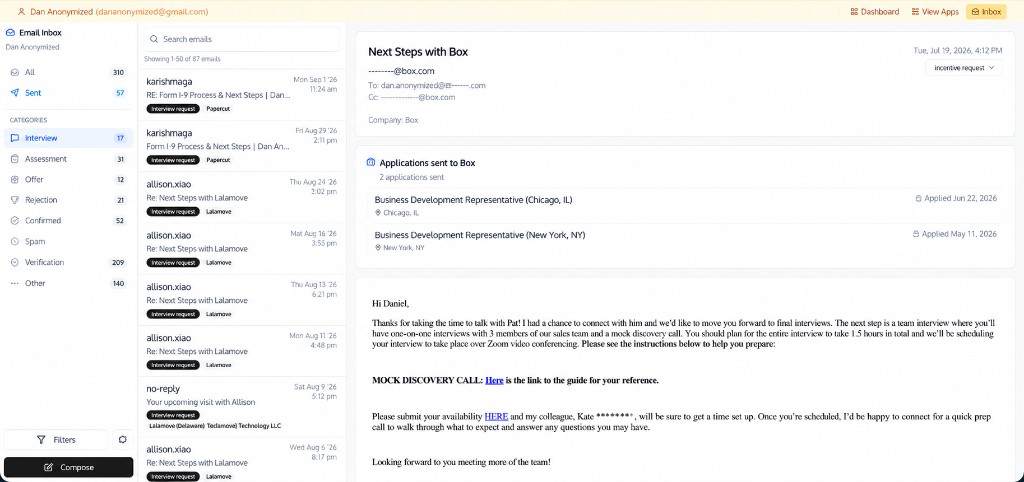
What you can do in the inbox:
- View all correspondence with recruiters, sent and received
- Reply to received mail, or compose a new message
- Use CC, BCC, and attachments
- When you open a message, we automatically list relevant applications at the top
- Scan by category so potential interviews are easy to find
- Search across your mail
2. Rejection filtering
Tired of endless rejection emails? Turn them off.
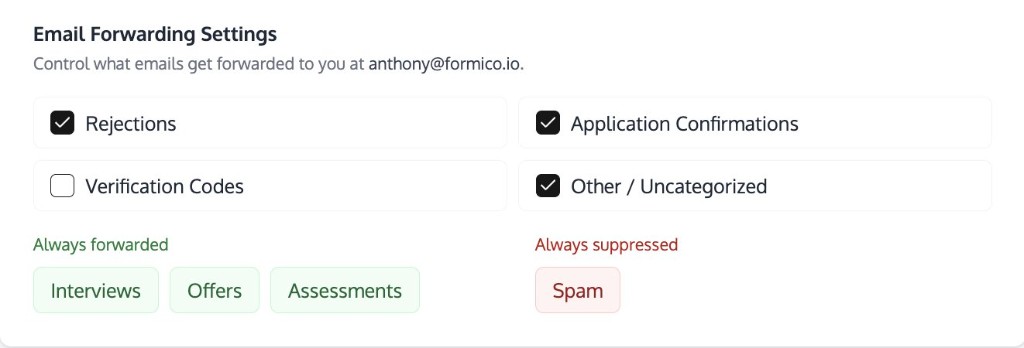
How to enable
- Open your Dashboard
- Scroll to the bottom
- Open Email Notification Settings
- Uncheck “Rejections”
That's it, you've rejected rejections!
First time hearing about ApplyAll?
We apply to hundreds of jobs for you.
Reviewed by real humans. One-time payment, not a subscription. If you receive no qualifying interview within 30 days after we submit the final purchased application, you get a 100% refund, subject to the published terms.
More from the blog

Do you really need to meet every job qualification to get an interview?
Successful resumes rarely documented every qualification. What 331 interview-linked applications show, and what they can’t tell us.
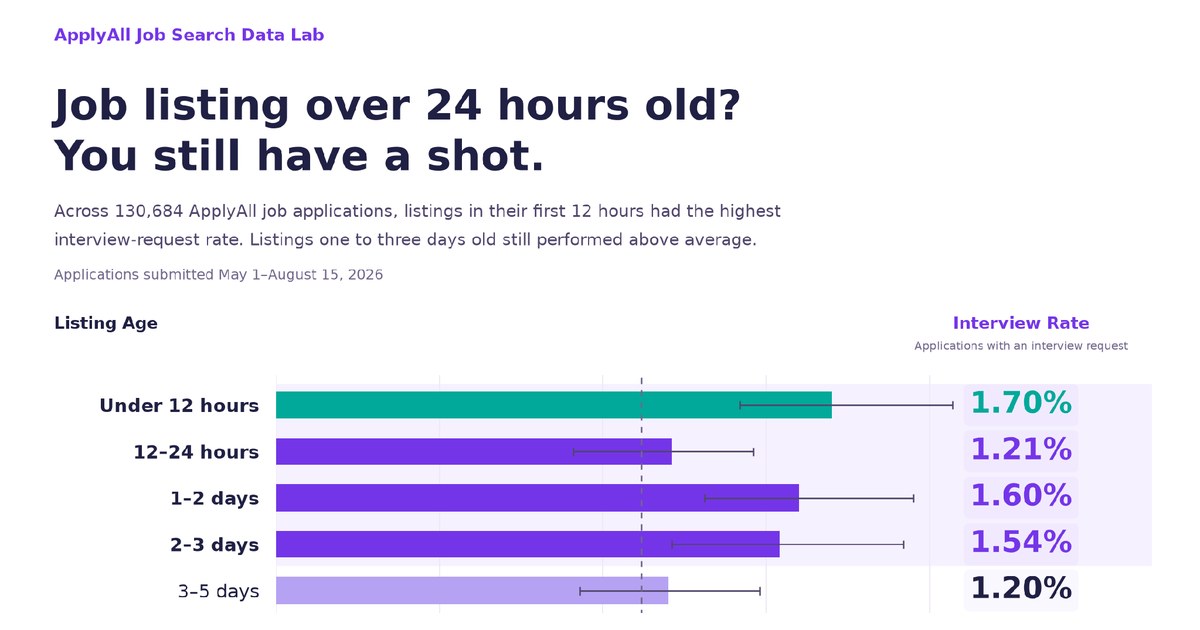
Older job listings still drive interviews
What 130,684 applications tell us about when to apply.

Philippines Trip
A site visit to the remote team that reviews every ApplyAll application, with notes on how the office came together.